
Week 5: Debugging
April 2, 2026
Hey everyone, and welcome back to my blog! This week I’m so excited to update you guys that I’ve finished the data processing step! It’s definitely a small milestone for me as I’ve been working on this step for a couple weeks now.
However, it’s not all sunshines and rainbows quite yet. Even though I managed to get the IMU Placer and IMU Inverse Kinematics tool to read and run my data, there were still many issues with the motion generated.
Problems
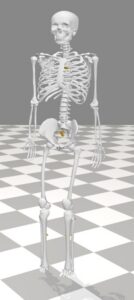
1. The motion was a bit wacky (same problem when I ran the example model code…). Even though the recorded motion was just a forehand swing, the motion generated showed the skeleton bent over with one leg diagonally up with the person basically floating.

2. The next problem was that the calibrated model with the IMUs placed on the body were missing some of the sensors, specifically the sensors on arms/head (i.e. head, humerus_l, humerus_r, radius_l, radius_r)
Next Steps to Debug/Brainstorming solutions to these problems
I met with my mentor to discuss the problems I’m currently facing, and together we brainstormed some reasons why these errors were happening. Regarding the first error for the motion being orientated weirdly, we either thought it could be a calibration error or a misalignment error. The calibration error would mean that the first initial pose taken for calibrating the model was not in a neutral stance. Although I thought when recording the motion we held the initial pose for long enough, there might have been other factors that affected it. To fix it, I’m aiming to either manually picking a better frame or re-recording a short “T-pose/neutral pose” clip before the swing. A misalignment error, on the other hand, means that the heading (forward direction) is misaligned and facing a different direction than it’s supposed to. To fix that, I’m going to try rotating/setting the pelvis towards different axes and angles to find the right orientation of it.
Next, regarding the missing sensor issue, I’m going to take another look at my conversion code to see if the upper body data was lost somewhere along the way. Although the data files generated look correct, there could be an incorrect formatting issue that causes the Opensense software to not be able to read it. I will specifically look at the head, humerus_l, humerus_r, radius_l, radius_r sensors. The error could also be coming from bad quaternion data. Reading over the documentation again, I realized that if a sensor has: NaNs, constant values or corrupted orientation the OpenSim silently ignores it. For my data, we did each frame slowly by slowly, which might have caused the data to be constant for too long and throw the orientation off track. Another explanation for the missing sensor issue could be sensor-to-body misplacement. If my real sensors were placed slightly rotated, upside down, or a different orientation, OpenSense assumes wrong alignment and ignores that part of the code, which would explain the missing sensors.
Although I’m frustrated by these errors and bugs along the way, I was prepared to experience some errors along this journey. Next week I’ll aim to at least start looking into some of these errors and hopefully gain a clearer insight of why my motion might be off. I’ve detailed the steps I’m planning to take already, so come back next week to see how the beginning of the debugging process goes!
Reader Interactions
Comments
Leave a Reply
You must be logged in to post a comment.
Hi Michelle, I’m super glad that you were able to finish the initial data processing step! It’s definitely a big milestone for your project. It seems that you’ve already brainstormed a pretty comprehensive list of ideas for solutions, so I’m excited to see how you end up tackling these problems in the following weeks. Good luck! 🙂